
Description
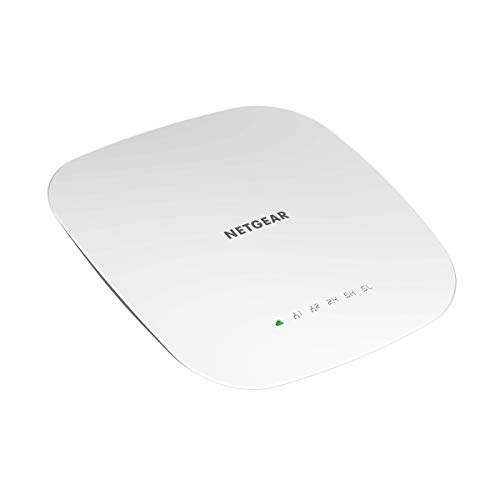
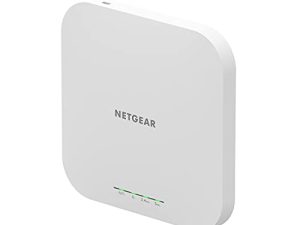
NETGEAR Wireless Access Point (WAC540PA) – Tri-Band – Features & Prices in Saudi Arabia :
NETGEAR Wireless Access Point (WAC540PA) – Tri-Band AC3000 WiFi 5 Speed | Up to 600 Client Devices | 1 x 1G Ethernet LAN Port | MU-MIMO | Insight Remote Management | PoE+ or Included Power Adapter
Test video – NETGEAR Wireless Access Point (WAC540PA) – Tri-Band :
Product highlights :
Questions & Answers – NETGEAR Wireless Access Point (WAC540PA) – Tri-Band :
Technical specifications – NETGEAR Wireless Access Point (WAC540PA) – Tri-Band :
Purchase advice :
-
Warranty :
Check the duration of the warranty and also the faults and defects it covers. Is it complete or limited? and What is included in the warranty (parts, repairs or both)?
-
Shipping :
Is delivery offered? And how long does it take to get delivered (Delivery time)
-
Proof of purchase :
Does the shop give you an invoice ?
-
After-sales service :
Do they have an after-sales service to have information about the installation or operation (instructions for use). Also in case of problem, it is the seller who takes charge or you must contact the manufacturer or supplier yourself.
_____________________________
H. P (verified owner) –
I used this for my home, and…wow! – I really wanted some time to test this NETGEAR Insight Managed Smart Cloud Tri-band 4×4 Wireless Access Point out, and then also allow some extra time for possible tweaking and optimization, before writing my final review on this. It sounds silly, but I am using this for home use, and not for a professional environment – so setting this up wasn’t nearly as “easy” for me as doing a regular dual-band router for residential use that I’m usually used to contending with. That said, it wasn’t TOO rough – just a little different.
A. B (verified owner) –
Generally okay… – It works as a Hotspot for the most part, not good enough for video conferencing or watching videos- it tends to drop out from time to time, even when in range of full signal strength.
J. H (verified owner) –
Easy to install – Great tech support, very easy to use. I found it to be a great value for tth money.
H. P (verified owner) –
I used this for my home, and…wow! – I really wanted some time to test this NETGEAR Insight Managed Smart Cloud Tri-band 4×4 Wireless Access Point out, and then also allow some extra time for possible tweaking and optimization, before writing my final review on this. It sounds silly, but I am using this for home use, and not for a professional environment – so setting this up wasn’t nearly as “easy” for me as doing a regular dual-band router for residential use that I’m usually used to contending with. That said, it wasn’t TOO rough – just a little different.
D. E (verified owner) –
THIS is the product I was hoping for in the WAC730. A worthy successor to the WAC510. – I have owned numerous NetGear APsrouters. Currently I use an Ubiquiti Edge Router and multiple APs managed as standalone. Recently, I got a WAC730 and was HORRIFIED at the UI speed, clumsy, unwieldy, and generally inferior design to my WAC510s. Physically, it’s pretty hardware, and comes with a lifetime warranty, but the software is so awful I replaced it with another 510. I’d rather drop another ~$80 on a replacement AP if one dies than live with the 730. It’s THAT bad.
I. K (verified owner) –
Absolutely the worse access point I have ever used in my life. Bad coverage and slow speed – The wireless coverage of this is terrible even in small area and speed is not great either. I tested the speed right next to the access point and farther away from it. even as close as possible to the access point, I was getting terrible speed even though the signal strength is good. I don’t know if I had bad luck with this one and was defective or what! I wouldn’t recommend it to anyone. I should have bought Ubiquiti Unifi access point from the beginning, would have saved me the time and hassle of trying this out. I would spend bit more and get Unifi UAP HD.
D. E (verified owner) –
THIS is the product I was hoping for in the WAC730. A worthy successor to the WAC510. – I have owned numerous NetGear APsrouters. Currently I use an Ubiquiti Edge Router and multiple APs managed as standalone. Recently, I got a WAC730 and was HORRIFIED at the UI speed, clumsy, unwieldy, and generally inferior design to my WAC510s. Physically, it’s pretty hardware, and comes with a lifetime warranty, but the software is so awful I replaced it with another 510. I’d rather drop another ~$80 on a replacement AP if one dies than live with the 730. It’s THAT bad.
I. K (verified owner) –
Absolutely the worse access point I have ever used in my life. Bad coverage and slow speed – The wireless coverage of this is terrible even in small area and speed is not great either. I tested the speed right next to the access point and farther away from it. even as close as possible to the access point, I was getting terrible speed even though the signal strength is good. I don’t know if I had bad luck with this one and was defective or what! I wouldn’t recommend it to anyone. I should have bought Ubiquiti Unifi access point from the beginning, would have saved me the time and hassle of trying this out. I would spend bit more and get Unifi UAP HD.
C. J (verified owner) –
Great performance at a great price – I have expanded my network with two of these and so far there performance is flawless. Only thing I don’t like is the push to use there net services. I will make them independent of there app when the 1 year included period is over.
B. G (verified owner) –
600 Users. Multi and Good Signal. Maybe there a fee for more user management. – They give you free trial of user management. I let mine expire. I don’t know but I think is a business device and professional. I have my on a shelf. But hanging from a ceiling or wall, it is flat and big. There might be two listing one with a with power supply and one without. You can make a train of these maybe with special power over Ethernet. The power supply is a power brick but a little higher power level. Maybe buy the one with the power brick to get the right one. Great price. And with management software you register your device. Thank You Netgear for a fun experience for a home project.
J. H (verified owner) –
Easy to install – Great tech support, very easy to use. I found it to be a great value for tth money.
A. B (verified owner) –
Generally okay… – It works as a Hotspot for the most part, not good enough for video conferencing or watching videos- it tends to drop out from time to time, even when in range of full signal strength.
B. G (verified owner) –
600 Users. Multi and Good Signal. Maybe there a fee for more user management. – They give you free trial of user management. I let mine expire. I don’t know but I think is a business device and professional. I have my on a shelf. But hanging from a ceiling or wall, it is flat and big. There might be two listing one with a with power supply and one without. You can make a train of these maybe with special power over Ethernet. The power supply is a power brick but a little higher power level. Maybe buy the one with the power brick to get the right one. Great price. And with management software you register your device. Thank You Netgear for a fun experience for a home project.
C. J (verified owner) –
Great performance at a great price – I have expanded my network with two of these and so far there performance is flawless. Only thing I don’t like is the push to use there net services. I will make them independent of there app when the 1 year included period is over.